Drop in a long podcast or stream. Lagoon surfaces the moments worth clipping and hands you clean MP4s, ready for Final Cut, Premiere, or DaVinci. Local, native, and built for Apple Silicon.
Download for macOSFree 7-day trial$8.99/mo, $75/yr, or $59 once · macOS 14+ · Apple Silicon
Every moment worth clipping. Surfaced automatically.
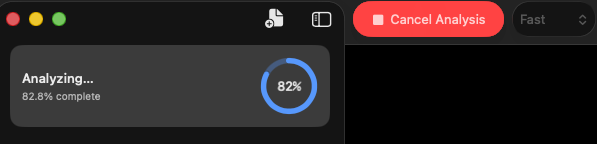
Drop in a podcast or stream recording and Lagoon scans every frame for conversational motion: hand gestures, lean-ins, reactions, on-camera action. Tune the sensitivity to match your content.
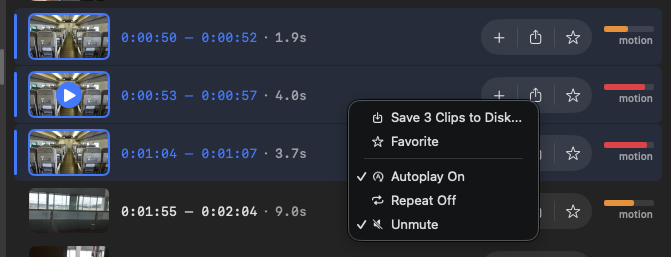
Your whole recording on a single timeline.
Every detected moment, laid out so you can scan a three-hour episode in seconds. Click any segment to preview it. Sort by time, intensity, or duration.

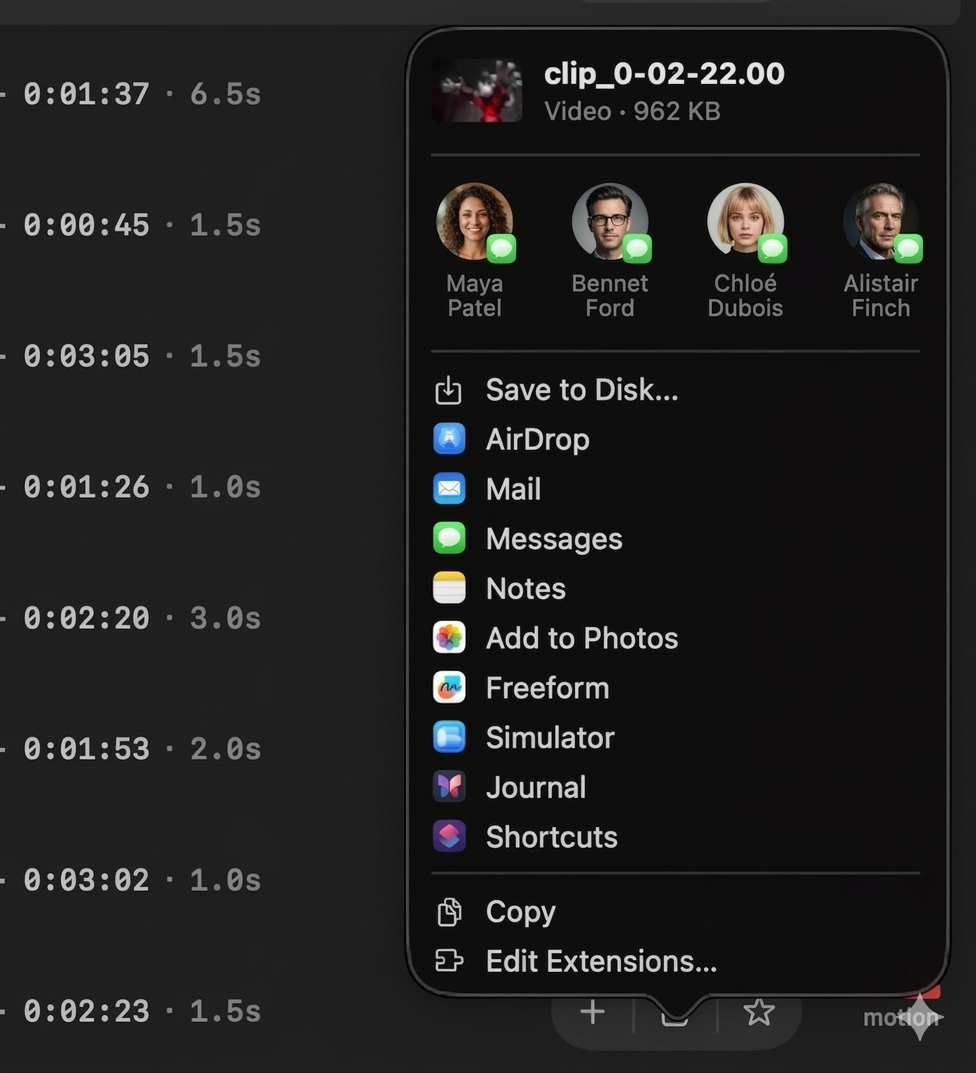
Clip-ready MP4s, straight out.
Export one moment or fifty, with configurable padding for context. You get clean files, ready for your editor. Not half-finished social posts.
100% local. On your Mac. On Apple Silicon.
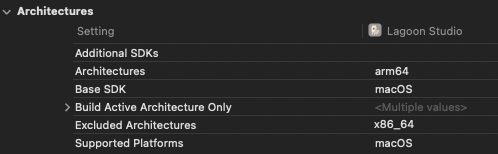
Nothing uploads. No cloud queue. Analysis runs on Apple Silicon hardware decoding, so your unreleased episodes and NDA'd footage never leave your computer.
Fits the workflow you already have.
Exports drop into Final Cut Pro, Premiere Pro, DaVinci Resolve, or any editor that opens MP4. Captions, reframing, and publishing happen where you already do them.
Find the laughs, the lean-ins, and the “wait, say that again” moments across a three-hour episode, before your editor even opens the file.
Turn your last eight-hour stream into a stack of highlight-ready clips for TikTok, Shorts, or your editor. No uploads, no quota.
First-pass client footage in minutes. Cut the scrub time, keep the craft. Clips land in your editor as clean MP4s.
Most clipping tools need your raw footage on someone else’s server. Lagoon doesn’t.
Your footage stays on your Mac.
Unreleased episodes, sponsor reads, embargoed interviews. None of it leaves your computer. No cloud queue, no account required.
Built in SwiftUI for Apple Silicon.
Scrubs multi-hour 4K recordings like local files, because they are local files. Hardware-accelerated decoding, minimal CPU impact.
No monthly upload credits.
No "minutes processed" meter, no tiered plans for your biggest episodes. $59 for lifetime access, or pay monthly if you prefer.
Less than one hour of freelance edit time. Start with a free 7-day trial. No credit card required.
Full access to Lagoon Studio, billed monthly.
Just $6.25/mo. Save over $32 compared to monthly.
Lifetime access to Lagoon Studio with updates for 1 year.
Choose what works for you. Upgrade anytime from within the app.
Lagoon supports H.264, HEVC, AV1, and most common video container formats including MP4, MKV, and WebM. It uses hardware-accelerated decoding on Apple Silicon, so even high-resolution podcast or stream recordings process efficiently.
Lagoon analyzes every frame for conversational motion: hand gestures, lean-ins, reactions, on-camera action. It flags the segments that rise above a tunable threshold. Choose between Fast, Balanced, and Accurate modes to trade speed for thoroughness, and adjust sensitivity to match the energy of your content.
Yes, completely. All analysis happens locally on your Mac. Your files never leave your device and no internet connection is required. The only network requests Lagoon makes are for license validation and checking for app updates.
Analysis is fast thanks to hardware-accelerated decoding on Apple Silicon. Exact times vary with recording length, resolution, and your chosen analysis mode. Fast mode prioritizes speed; Accurate mode examines more frames for thorough results.
Yes. Toggle between Fast, Balanced, and Accurate modes, and fine-tune the sensitivity slider to match your content. Lower thresholds catch subtle movement like small gestures or lean-ins; higher thresholds focus only on significant action.
Yes. Analysis scales linearly with length, and Apple Silicon hardware decoding keeps it fast. Lagoon runs in the background, so you can keep editing, recording, or streaming while it works through a three-hour episode or an eight-hour VOD.
Yes. Export each moment individually, or select multiple at once. Exports are standard MP4 files that open in any editor or media player, with configurable padding around each clip so you keep the setup and payoff.
No. Lagoon outputs standard MP4s at your source resolution. Use your editor, or the platform's native tools, to add captions and reframe to 9:16. Lagoon's job is to find the moments; your editor's job is to finish them.
No. Clips land in a folder on your Mac. You publish the way you already do: through your editor, scheduler, or the platform itself. Lagoon stays focused on the part that takes the longest: finding what's worth clipping.
Different scope. Lagoon finds the moments locally on your Mac and hands you clean MP4s. Cloud tools handle captioning, reframing, and publishing too, but they need your footage uploaded to their servers and meter your processing minutes. Pick Lagoon when privacy, cost predictability, or speed-to-start matter; pick a cloud tool when you need the full social-publishing stack.
Lagoon requires macOS 14 (Sonoma) or later and an Apple Silicon Mac (M1 or newer). It is built as a native SwiftUI application optimized specifically for Apple Silicon hardware.
Yes. Try Lagoon free for 7 days with full functionality. No credit card required to start your trial. After the trial, choose from monthly ($8.99/mo), yearly ($75/yr), or lifetime ($59) plans.
Yes. Cancel your monthly or yearly subscription anytime with no penalties or hidden fees. If you choose the lifetime option, it is a one-time purchase with no recurring charges.
Download Lagoon Studio for free. Full features for 7 days. No credit card, no upload cap. Upgrade from within the app whenever you’re ready.
Download for macOSRequires macOS 14 or later. Built for Apple Silicon.